BID & ASK terrains
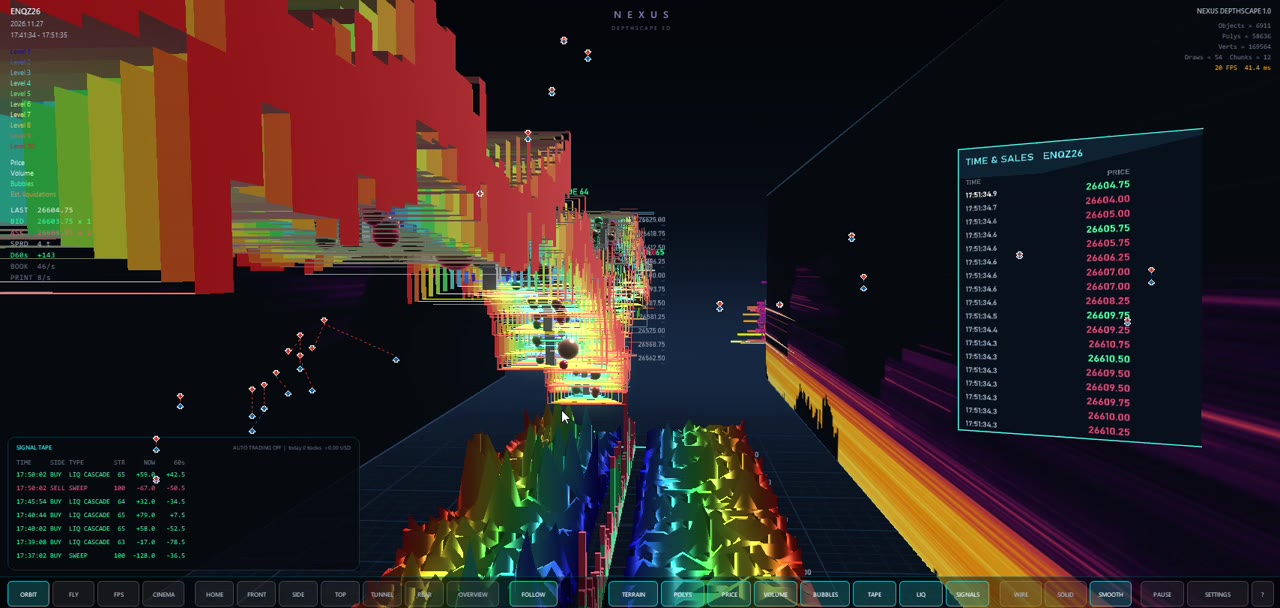
Turn displayed resting size into evolving 3D terrain. Compare the two sides of the book across depth and time.
NEXUS_DEPTHSCAPE 1.0. The order book is no longer a ladder. It is a landscape you can fly through.
For NANEX fans, order-flow specialists and traders who are obsessed with the mechanics of the auction. A real-time 3D microstructure environment, native to MetaTrader 5.
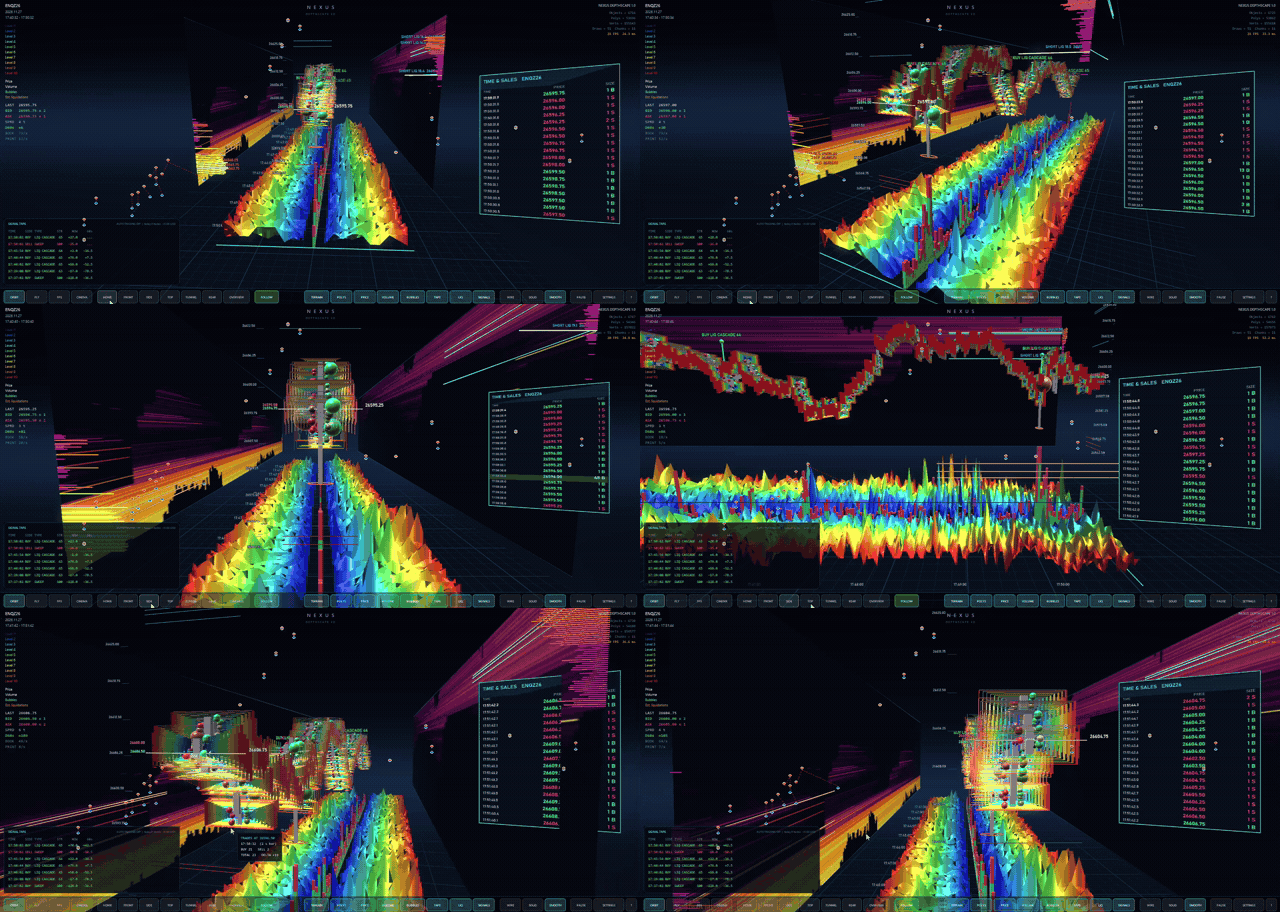
Scene counters are illustrative observations, not latency, throughput or minimum hardware guarantees.
See resting liquidity, executed activity and price in one navigable environment. Isolate a layer when you need clarity; combine layers when context matters.
Turn displayed resting size into evolving 3D terrain. Compare the two sides of the book across depth and time.
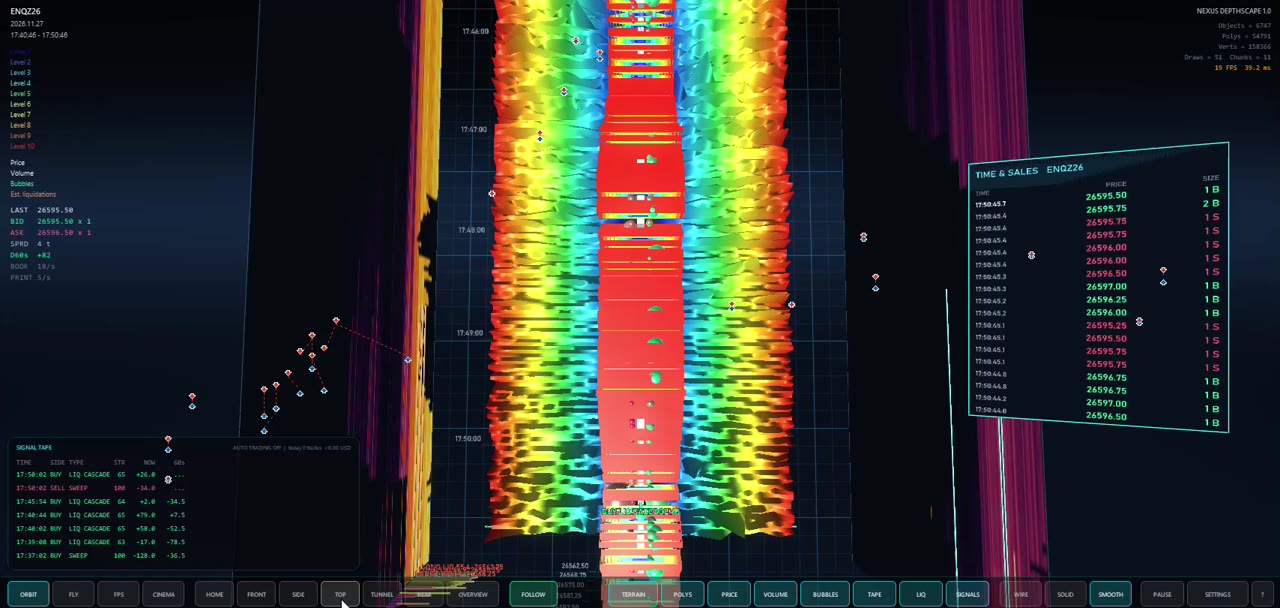
Inspect the price span of the displayed depth levels, second by second. See how the book reorganizes around price.
Put executed activity and price movement into the same scene. Compare trade flow with displayed liquidity.
Read time, execution price, size and displayed buy/sell classification beside the 3D market.
Explore estimated potential liquidation areas as context, not as confirmed liquidation events.
Orbit, Fly, FPS, Cinema, Home, Front, Side, Top, Tunnel, Rear, Overview and Follow. Change your perspective, not the underlying data.
DirectX 11 rendering inside an MQL5 Expert Advisor. No external application or DLL required according to the supplied entry point.
Toggle Terrain, Polys, Price, Volume, Bubbles, Tape, LIQ and Signals. Wire, Solid, Smooth, Pause and Settings are visible controls.
Explore the interface without a live data feed. A synthetic demonstration is not a historical backtest or a live trading environment.
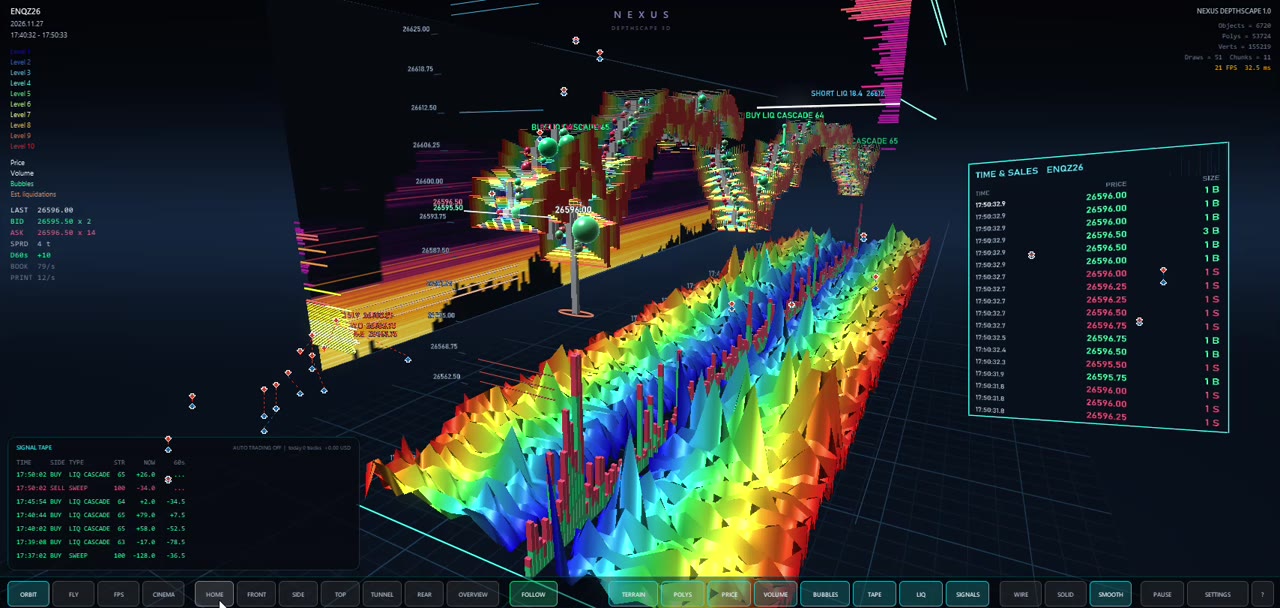
Map displayed liquidity on both sides. Identify areas where price might encounter changing depth. A large quote alone is not a support or resistance level.
Compare the signal label, prints, price response and surrounding depth. Look for continuation or rejection rather than following a colored marker blindly.
Track the changing book and executed flow. Decide whether your original thesis remains valid. Keep your own risk limits and exit plan.
Signals are annotated inside the scene and logged in the signal tape. Direction and strength make events easier to locate and review.
A signal label for a potential fast liquidity-taking event. Check whether price follows through or reverses.
A liquidity-cascade label. Examine the evolving sequence of price and depth; avoid assuming the next move is predetermined.
A liquidity-magnet label. Watch price interaction with the relevant liquidity area; it may attract, stall or reject price.
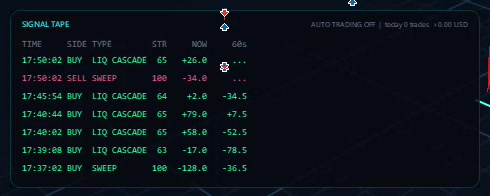
Strength is not a probability of success. Detection formulas, thresholds and exact follow-up units are not disclosed in the supplied entry point.
Use the environment as a research and decision-support workspace; manage orders yourself.
Investigate the embedded signal events and decide independently whether to act.
Arm the execution module deliberately in Settings. Real-account permission is off by default and requires a separate input.
One engine. One lifetime software licence. No artificial feature split.
Save €200 versus the public price. Eligibility verified by MetaQuant Universe.
Full product access. No membership needed for this offer, subject to licence provisioning.
One-time software licence; broker, exchange data, commissions and trading costs are separate. Licence account scope, update/support policy and final tax treatment are defined by the seller’s terms.
MetaTrader 5 desktop on a compatible Windows/DirectX 11 setup. Confirm GPU capability and the broker’s market-depth availability before purchase.
The live environment depends on the MT5 symbol exposing useful order-book data and trade ticks. A broker may offer only limited depth or a different market representation. Test your feed first.
The synthetic DEMO option is intended for interface exploration without a feed. It does not represent real historical market data.
No. The supplied entry point deliberately rejects MT5 Strategy Tester mode because historical market depth is not provided by that mode.
The current entry point accepts a NEXUS MATRIX-format NXM key, or an already activated account. Confirm provisioning and account scope before purchase.
No. Two-click arming is required. Real-account trading is disabled by default; broker demo execution and synthetic DEMO are distinct.
No. Signals indicate events to investigate; the follow-up can be positive or negative. The estimated liquidation layer is not proof of actual liquidations.